Supaviral Ads
How To Write Image-To-Video Motion Prompts For Product Ads
Build an image-to-video prompt around a single movement, compare camera variations, and keep a useful record of what changed.
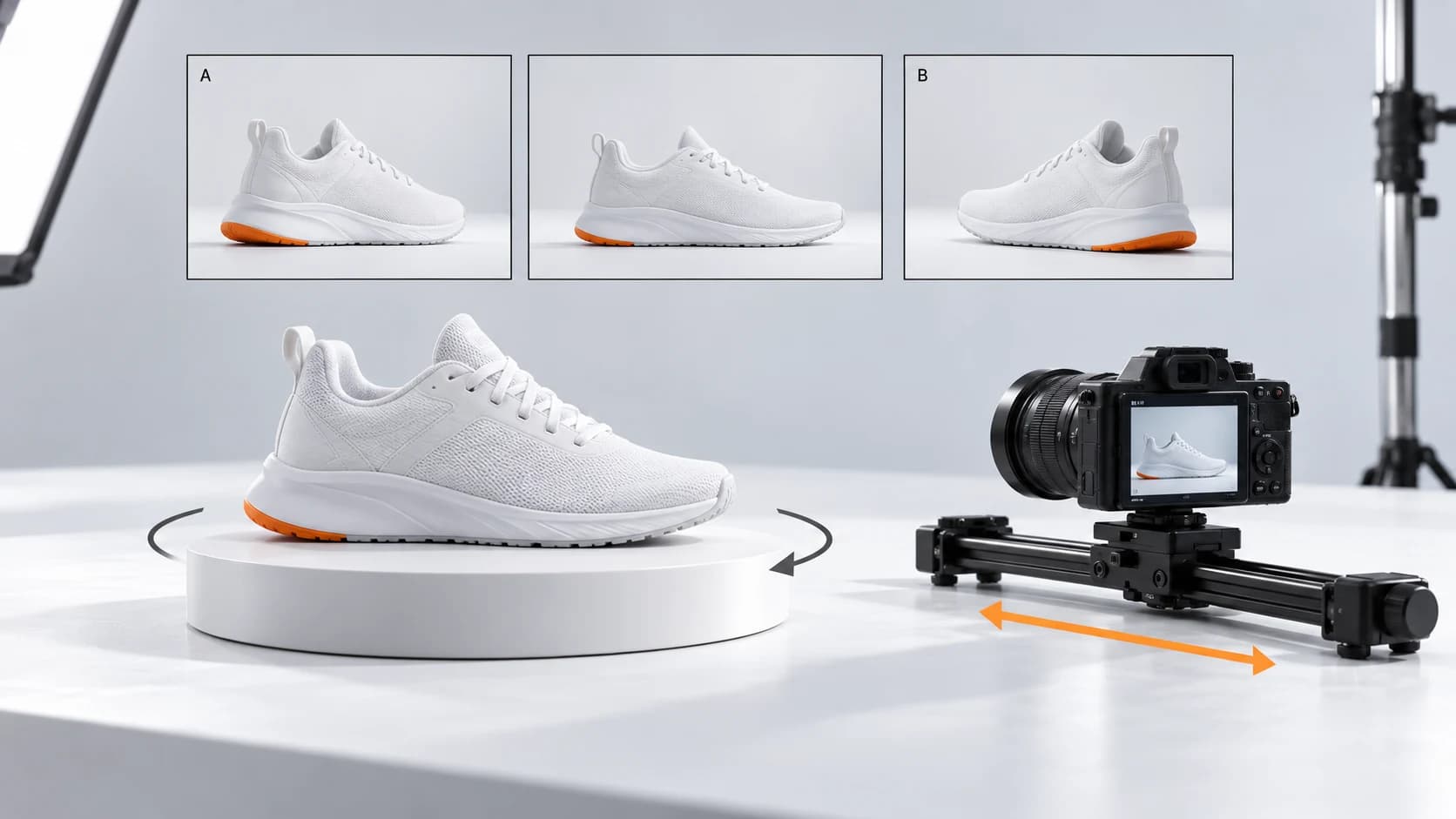
A still reference gives you a starting composition. Your next decision is what should move. This guide offers a small product-shot exercise for separating subject movement from camera movement, so you can diagnose an output more easily.
Use The Reference For Appearance
Runway’s Gen-4 guide recommends simple prompts focused on motion, a high-quality starting image, positive descriptions, and adding one element at a time. These are recommendations for that model; other video models can interpret instructions differently.
Our exercise below uses a fictional trainer campaign to create a controlled comparison. It is a proposed workflow, not a claim that we have tested every available Supaviral model.
Choose One Starting Frame
Use a clear photo of a trainer resting on a flat surface, with space around the entire shoe. Make a note of the features that must survive: sole shape, panel layout, color, and laces.
In Studio, choose a model that accepts an image reference. Keep the same reference, duration, and aspect ratio for the comparison. Review the available settings and credit estimate before submitting.
Begin With A Locked Camera
Give the first version one simple subject action. A still camera helps you see whether the product itself deforms during movement. This original sample is a starting point for the exercise:
Example Prompt
The shoe gently rotates a small amount on the tabletop, revealing its outer side. Locked camera, steady framing, soft studio light. The rotation is slow and continuous, with the entire shoe remaining in frame.
Test Camera Movement Separately
For the second version, keep the shoe still and describe a camera move. Compare whether this produces a more usable view of the same feature. Do not add a new setting or complicated action yet.
Example Prompt
The shoe rests still on the tabletop. The camera makes a slow, short lateral move from left to right, revealing the outer side. The full shoe stays inside the frame under soft studio light.
Record What Changed
Review both clips at normal speed and pause at the beginning, middle, and end. Note whether the sole stretches, the laces merge, or the camera crops the product. Save the prompt beside a plain observation such as “camera move reveals the side panel; toe shape drifts near the end.”
If both fail, simplify the movement before adding more descriptive words. For the finished ad, use your real product image for any frame that requires exact packaging, labeling, or specifications.
- Version A: subject moves, camera stays still.
- Version B: camera moves, subject stays still.
- Next attempt: change only the movement that failed.
Ready to try it? Open Supaviral Studio or explore the plans.